
# What is TriggerPørtal?
TriggerPortal is a decentralized application (dApp) that provides a one-stop solution for automation. It allows users to automate various tasks such as sending tokens on a recurring basis to multiple recipients, scheduling messages on IBC-enabled chains, autocompounding TRST tokens, and managing on-chain time-based triggers.
With TriggerPortal, users can easily set up automated token transfers to multiple recipients at regular intervals. This feature is particularly useful for businesses or individuals who need to send payments on a recurring basis.
Another powerful feature of TriggerPortal is its advanced automation scheduling. This feature enables users to schedule any message on IBC-enabled chains, allowing them to automate actions on different blockchains. This can help save time and reduce errors in performing on-chain actions.
TriggerPortal also allows users to autocompound TRST tokens. Autocompounding is the process of reinvesting earned interest or rewards back into the original investment, allowing for compounding growth over time.
Finally, TriggerPortal provides users with a simple interface for viewing and managing on-chain time-based triggers. This feature enables users to set up time-based triggers that can execute specific actions on the blockchain automatically.
Overall, TriggerPortal is a powerful dApp that provides a comprehensive suite of automation tools for developers and blockchain users.
# Features
- Automate Token Sending
- Advanced Automation
- Autocompound
- View and manage Trustless Triggers
# Automate Token Sending
- Getting started
With TriggerPørtal you can send any kind of transaction. You can send on a recurring basis to one or multiple recipients across IBC-enabled chains.
You have multiple options to transfer tokens, depending on where your recipients want to receive tokens and where you want to store your balance.
- Transfer tokens locally on Trustless Hub
- Transfer tokens from Trustless Hub to a destination chain
- Automate sending tokens on a destination chain using advanced automation
For now we focus on 1 and 2, and you can learn about advanced automation here.
- Sending Tokens locally
Transfer tokens to TriggerPørtal and send tokens locally on Trustless Hub.
To make sure you have a sent tokens that are supported by TriggerPortal, import tokens over IBC in the Transfer tab of the menu.
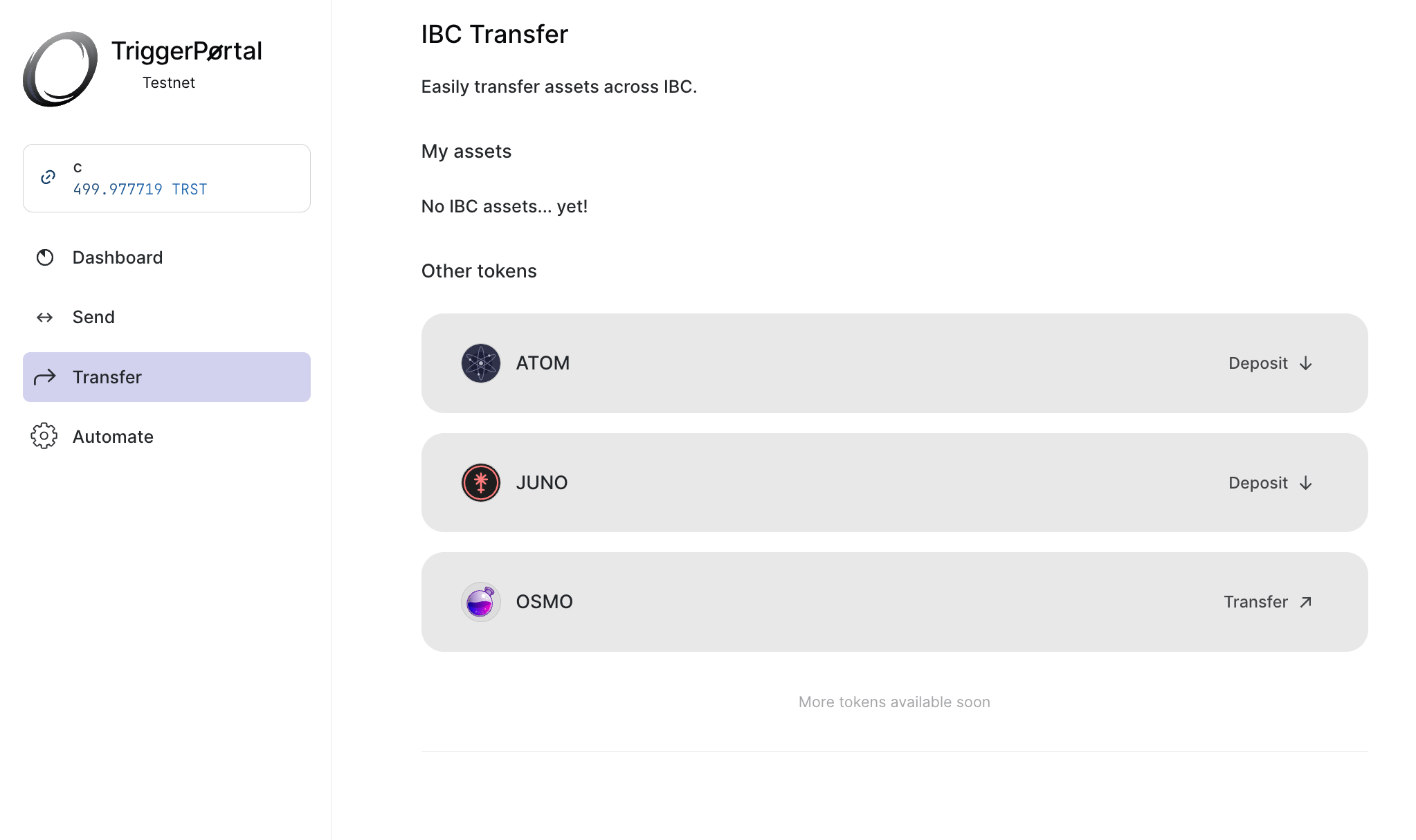
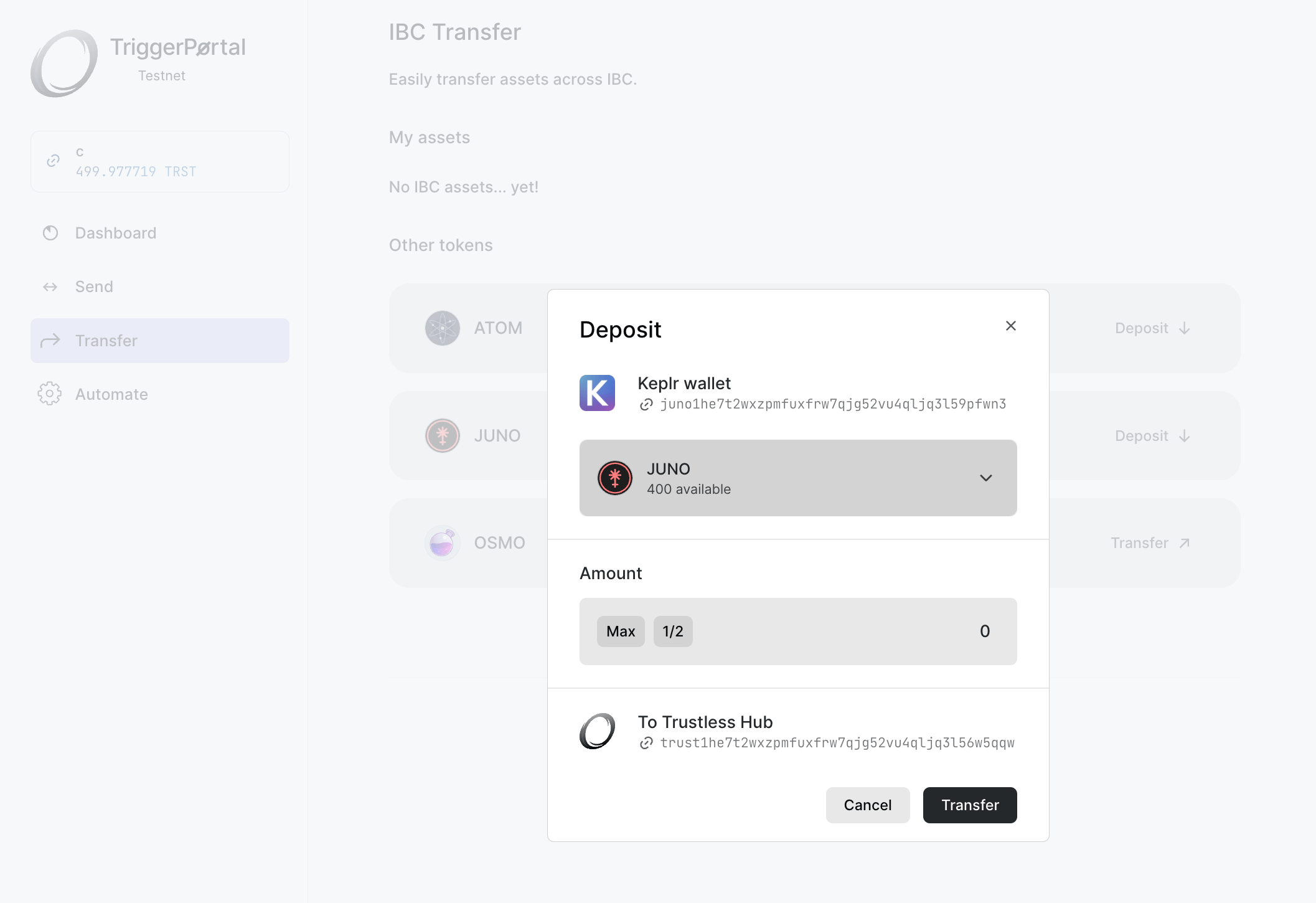
Here you can deposit tokens over IBC on supported chains.
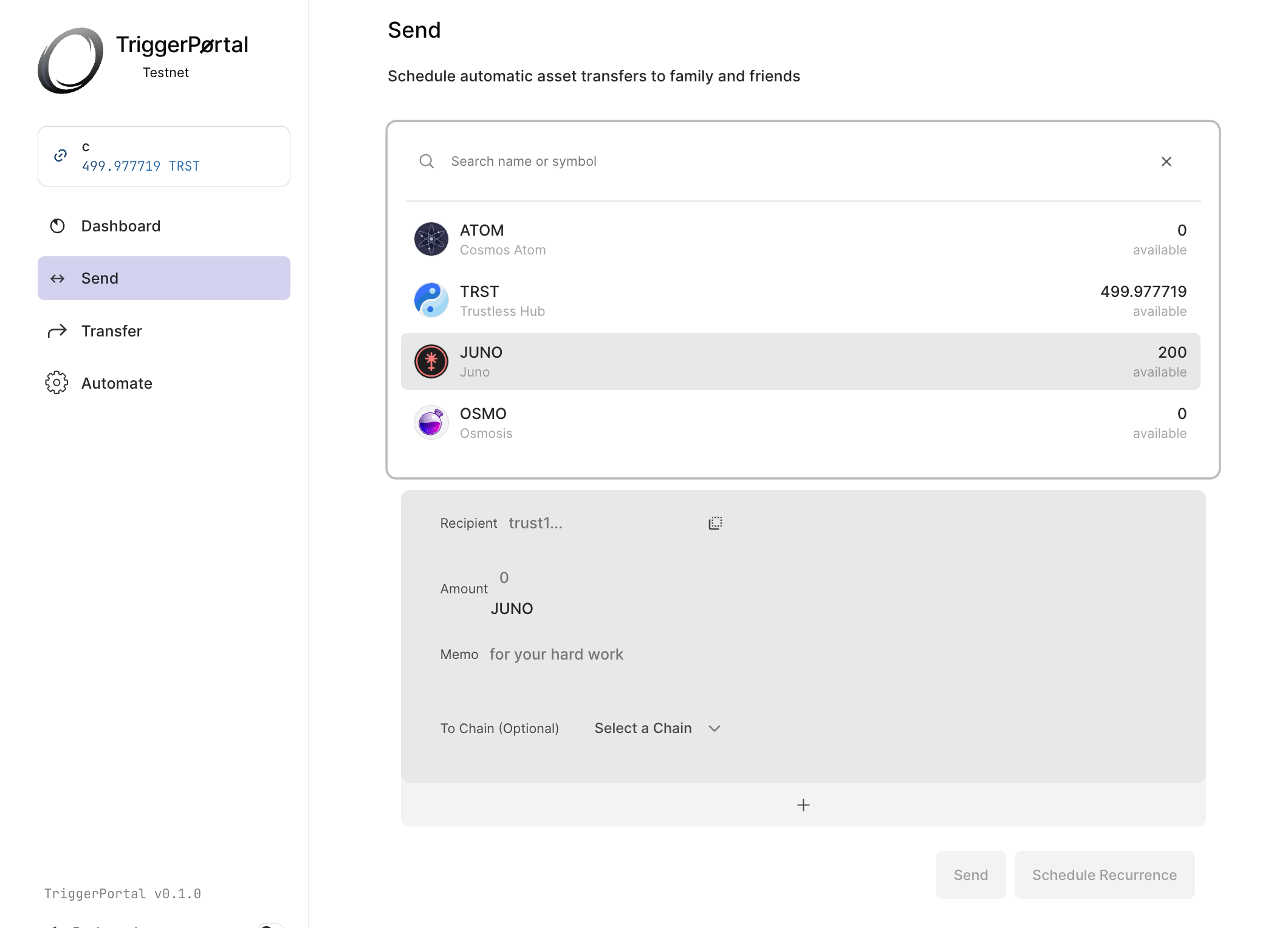
Next, we can head over to the send page. We select a token to send.
We can select a chain to send the token to. These will then be transferred over IBC to any connected chain. Alternatively, you can send the tokens locally over Trustless Hub by leaving it blank.
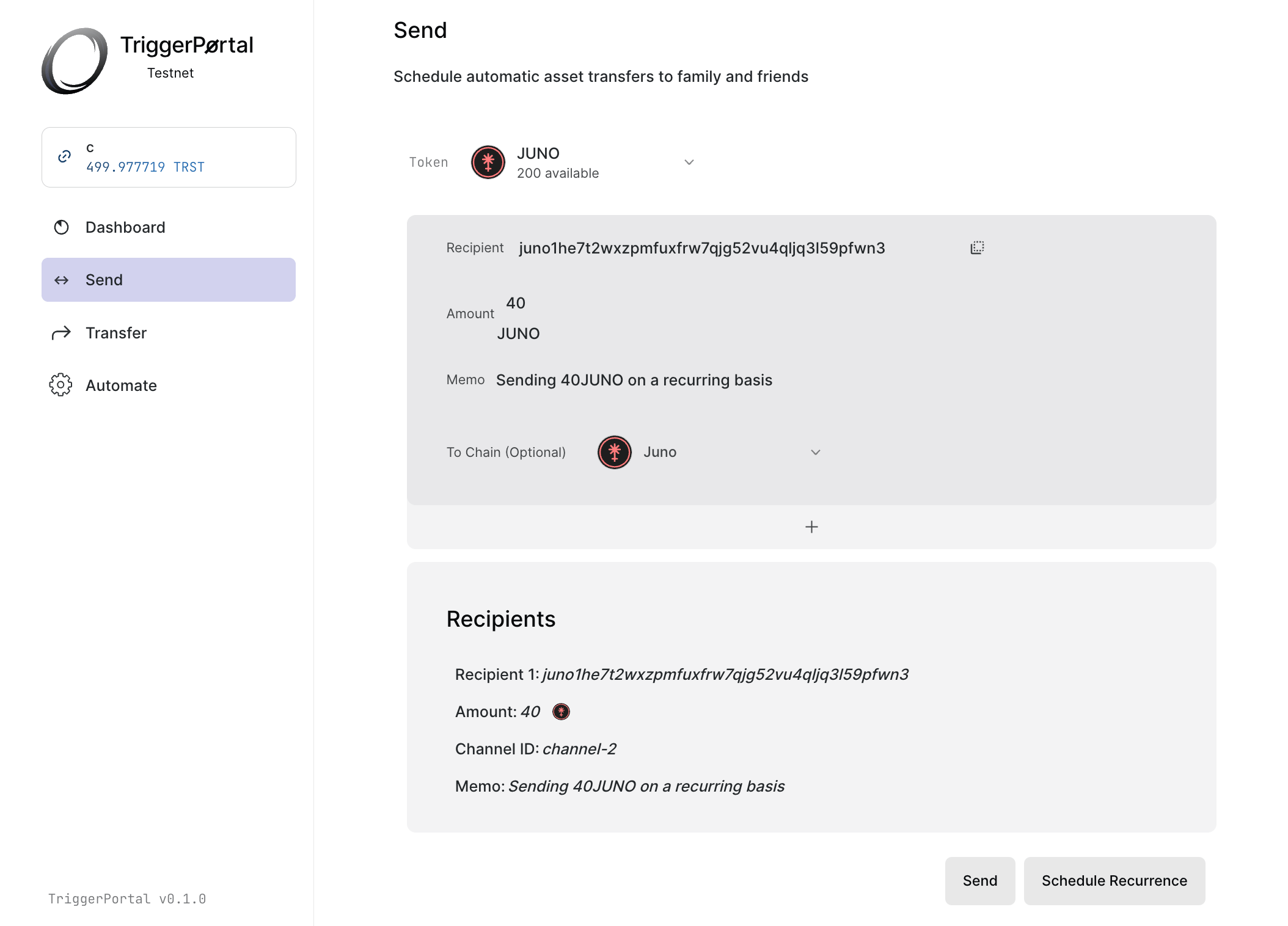
You can send tokens right away by clicking the send button and you can specify a date or recurrence by clicking the schedule recurrence button.
- Automation Dialog
When selecting schedule recurrence, a dialog will pop u. In the automation dialog you can specify the duration, interval and a start time. By clicking on a selected value, you unselect it. By unselecting start time, the first interval, in this case 1 day, will be used as the first time the token send takes place.
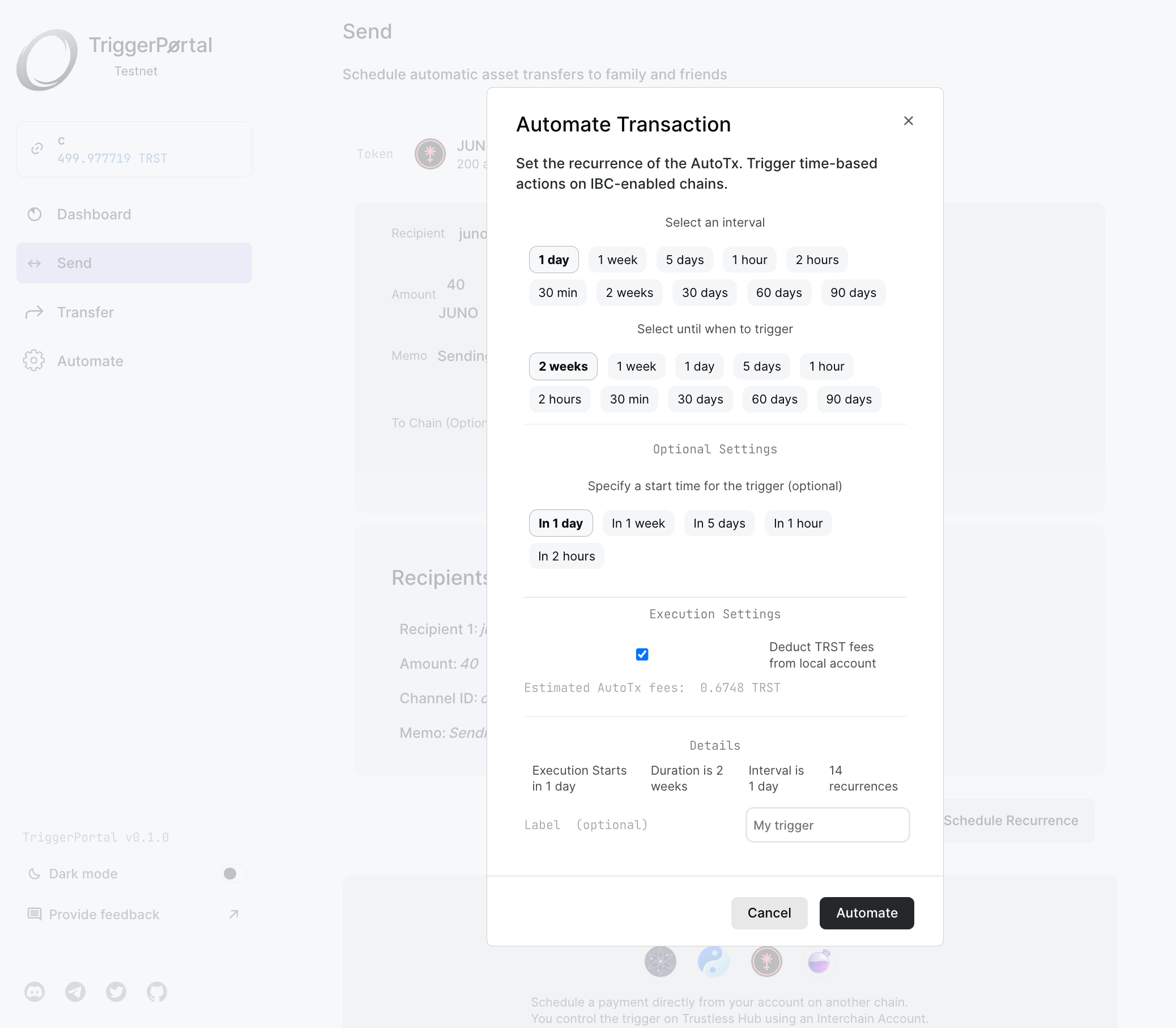
Under Execution Settings you can specify whether to deduct from your account or create a fee account. If you use your account, be sure that it has suffient TRST balance to pay for fees at the moment of execution.
In the Details section, you can view how many times execution will take place, when it starts and ends. You can specify a label to name your trigger, this is optional. You can retreive your automations in the dashboard.
You can now click on Automate to submit the trigger. An alert will pop up which you can use to navigate to your trigger.
# Advanced Automation
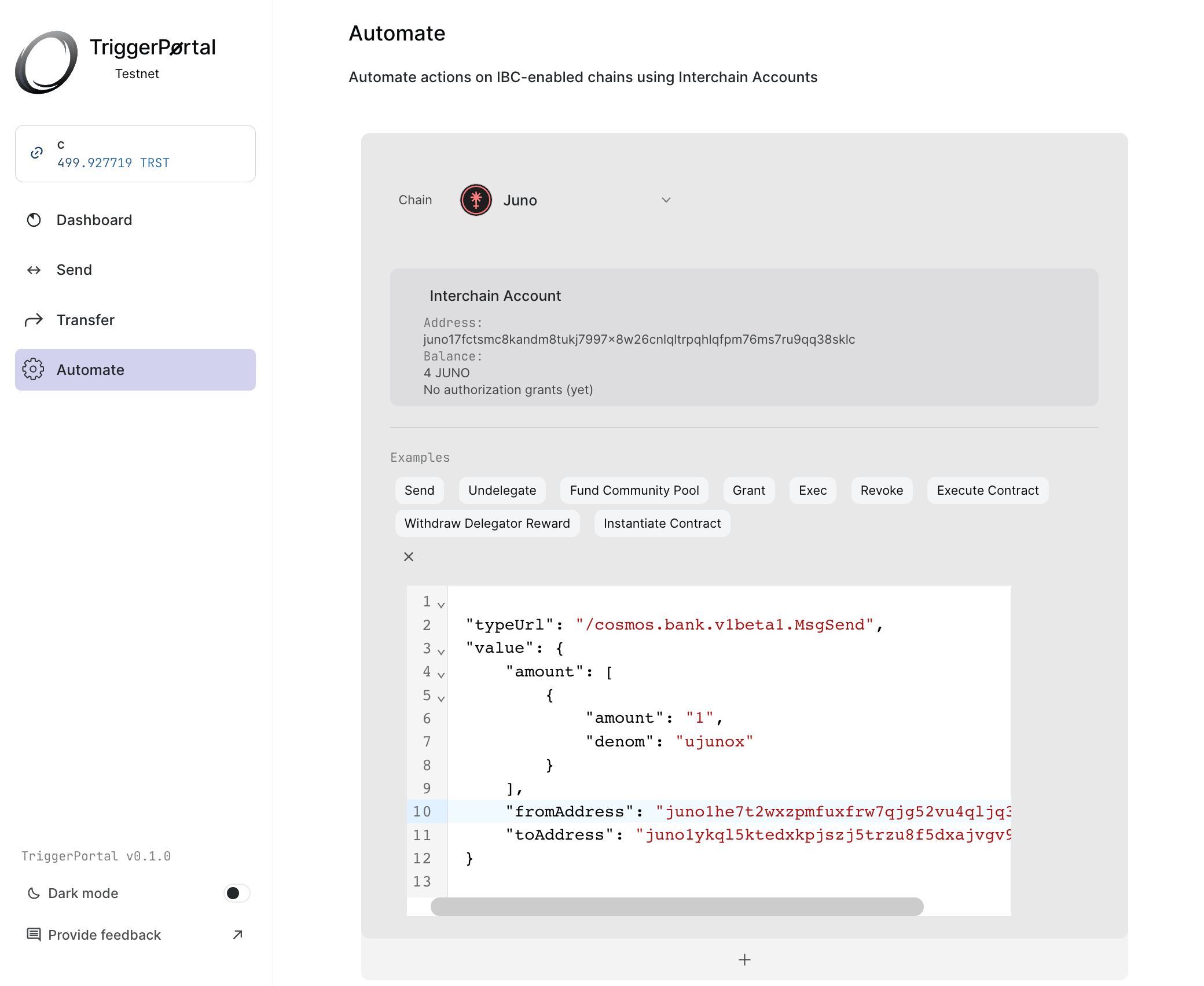
Advanced Automation is for power users that know what Cosmos SDK messages and AuthZ permissions are.
Cosmos SDK messages contain values and a typeUrl. Message values are what you send, the typeUrl specifies what module and what version to send it to, along with the proper function.
AuthZ permissions are permissions you can grant to execute actions on your behalf. This can possibly be dangerous when given to a third party. When submitting triggers using AuthZ on Trustless Hub, you assume the Trustless Hub chain and it's validator set are secure.
As you can make errors, using this can possibly be dangerous. Humans make errors, you risk losing your funds. Double check what you are doing before performing any action.
Navigate to the Automation tab. Here, you can specify a chain to execute the transaction on.
When you have an interchain account address registered, it will pop up. The interchain account should be funded on host chain. You can set this in the automation dialog.
If this is your first automation on a given chain, you can register an interchain account by clicking Register Interchain Account.
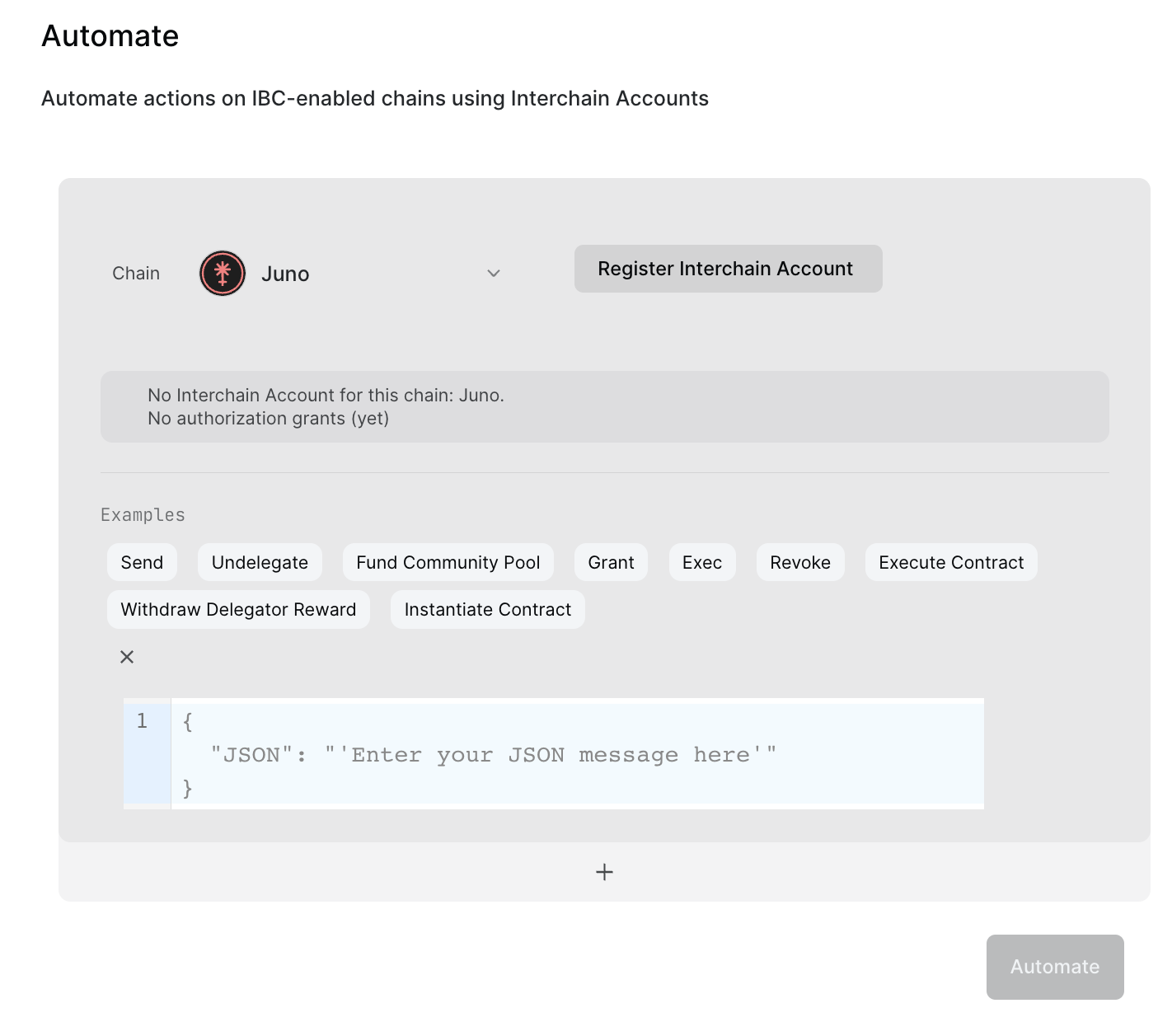
There are several message examples available. For a CosmWasm-supported chain such as Juno there are examples available to interact with smart contracts on a recurring basis.
# Caveats
When setting a message, you should be aware that keys are in camelCase. So, use fromAddress instead of from_address, for all the fields. You should also be aware that sending tokens is usually denominated with smaller decimals. For most Cosmos chains, native tokens are denominated in 6 decimals, and have a u in front. For 5 TRST you should use 5000000utrst. For 5 ATOM you should use 5000000uatom.
# Setting parameters
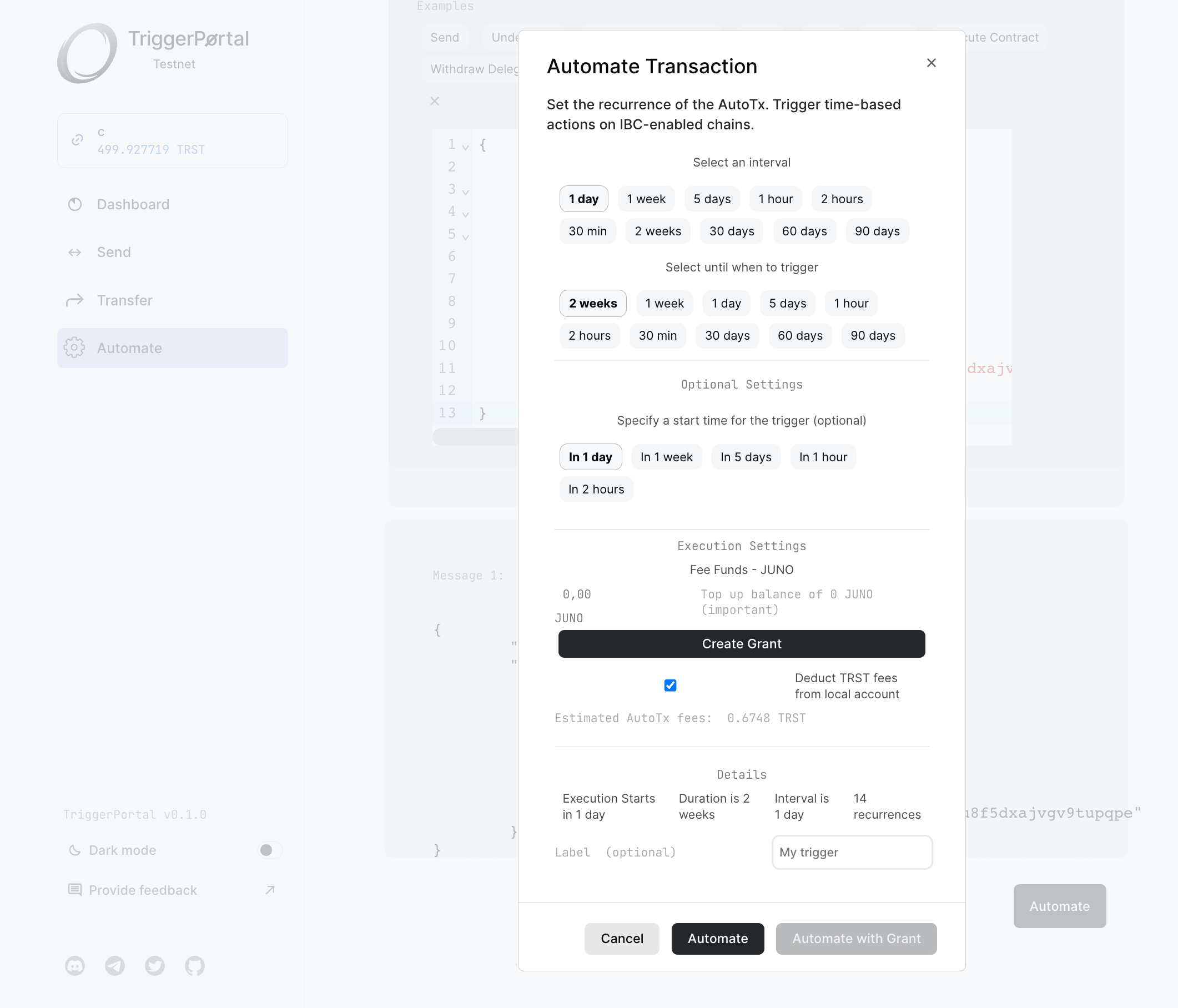
Under Execution Settings, you can set send funds and set AuthZ permissions on the destination chain for message execution. When doing both, these messages will be combined into one transaction for efficiency.
Under Execution Settings, you can also specify whether to deduct from your account or create a fee account. If you use your account, be sure that it has suffient TRST balance to pay for fees at the moment of execution.
In the Details section, you can view how many times execution will take place, when it starts and ends.
You can now click on Automate to submit the trigger. In case you want to send on behalf of your address, you should create an AuthZ grant under Execution Settings and use Automate with Grant. An alert will pop up which you can use to navigate to your trigger.
# Autocompound Staking Rewards
You can stake TRST tokens to secure the network and earn staking rewards. Staking rewards can be compounded to earn additonal tokens. Autocompound is a feature that automatically restakes earned rewards back to the validator, compounding earnings over time.
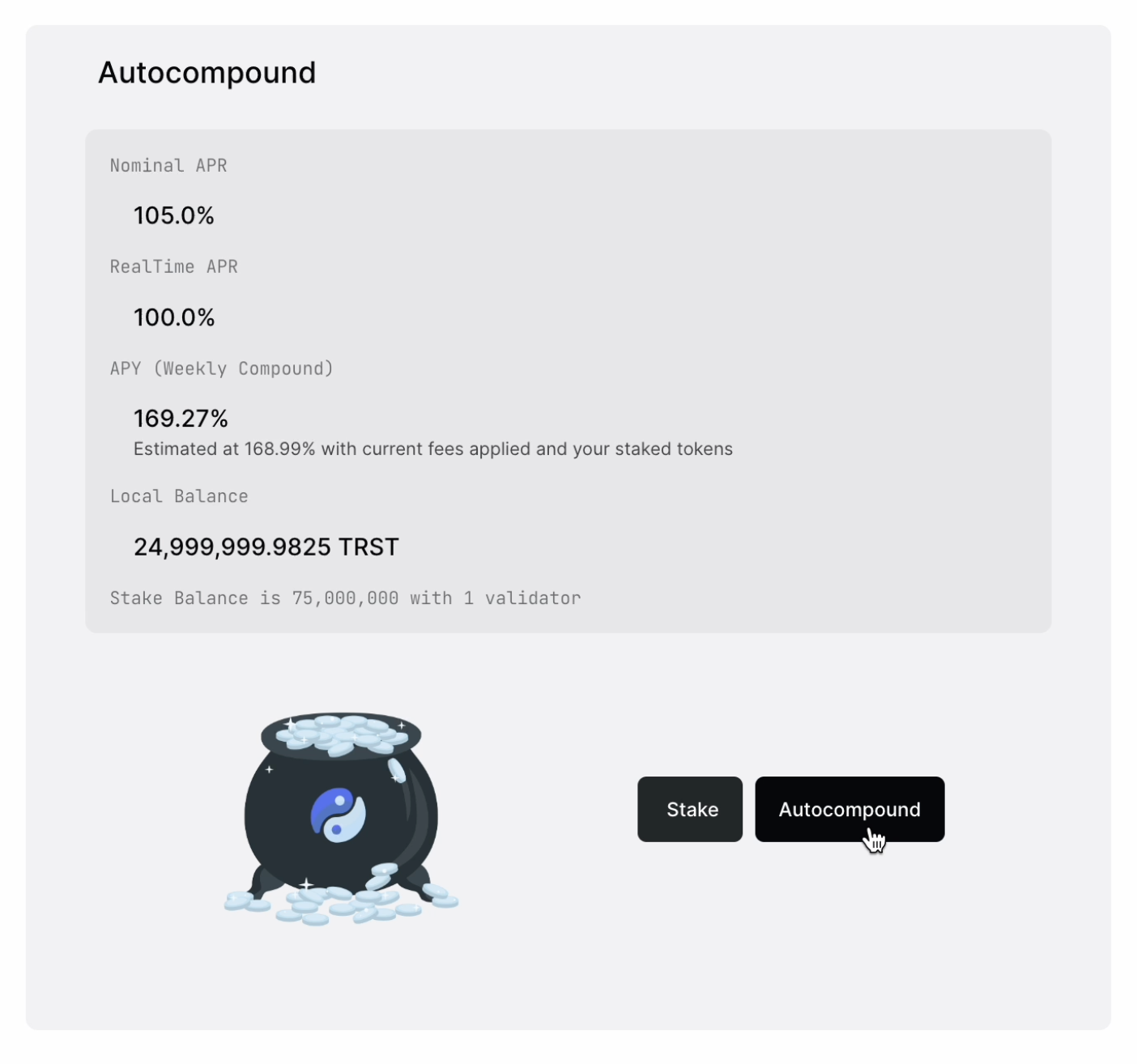
There are several terms used in autocompounding staked tokens.
Nominal APR refers to the annual percentage rate that doesn't take into account compounding interest. It's the simple staking reward rate over the course of a year.
RealTime APR refers to the annual percentage rate that is calculated and updated in real-time base based on the current block time.
APY stands for Annual Percentage Yield and represents the effective annual rate of return of staked TRST tokens that is compounded over the course of a year. In the case of Weekly Compound APY, the rewards are calculated and added to the staking balance every week.
Using the automation dialog you can specify the interval of the autocompound. Your strategy should take into account execution fees which are estimated under Execution Settings.
# Future Implementations
Here's a list -in no particular order- of the features that can be interesting to add. Do you have an interesting feature? Mention it on our Github (opens new window) or Twitter (opens new window) and it may get implemented!
- AutoSwap and DCA into diverse exchanges
- Advanced Automation on Evmos and other EVM-compatible chains
- Nameservice integration
- Share buttons to share trigger details
- Further abstraction of code for advanced automation
- UX and UI improvement